All content copyright, Creative Commons Attribution-Noncommercial-Share Alike 3.0
Unported, with the attribution: "The Lead CRA Blog", and a link to the post.

Showing posts with label cra tips. Show all posts

Thursday, February 28, 2013

Monitoring Tools & Notes

As a regional monitor, I have primarily worked on studies with a conduct period of only a few months.  For these trials, I can typically monitor an entire subject’s source in just a couple of monitoring visits (IMVs).  However, I do use a few monitoring tools to keep me organized and assist with report completion.  I obtained most of these templates and advice from other talented CRAs I've been lucky enough to co-monitor with; special thanks to all my wonderful resources who have been open to sharing tips and tricks along the way.  For studies that last longer than a few months, these tools could be especially handy for resuming monitoring across multiple IMVs.    These are some of my standard and favorite monitor tools:

Generic Calculators & References
Never leave home without a date wheel!


Study Specific-Calculators & References
  • Visit Window Excel Calculator
  • Drug Compliance Excel Calculator (if you aren't an Excel guru then ask your Lead CRA or one of the Data Managers to help you out)
  • Pocket-Sized Protocol (If you have a PDF or word version of the protocol any copy shop can produce a little spiral bound or gum-bound booklet for you for around $30-$50....worth every penny and you can probably pass it through an expense report - check with your PM)
  • Study-specific CRF Completion Guidelines
  • Essential Document Tracker and TMF Submission Form
  • Recent Correspondence, Study Newsletters, etc. (nice to have printed on hand so if there is a gap in the Site Master File I can just I can just leave a copy behind at site)
  • Blank Study Forms 
  • Mocked-Up Study Forms (I have worked on several psychiatric studies that utilized SCID, MINI, or a similar scale/questionnaire to screen for exclusionary criteria.  Since the questionnaires can be so long and involved, having a properly (or prohibited) completed form to compare to the source can be a huge time saver and serve as a checklist. 
Monitoring Report Template and Follow-up letters & Action Item Logs
The most important thing you can bring to every visit is a blank copy of the monitoring report, in my opinion.  Your goal should be to complete as much of the monitoring report as possible while on-site.  If you take your monitoring notes in the report template, you have less paper to keep up with and this will really increase the quality of reports.  The longer you wait to write a report following the visit, the lower the quality -- document your findings while they are fresh.  A monitoring report template also serves as a great checklist to ensure that you don’t forget to do all the routine tasks (like sign the monitoring log, check the temperature records, etc.)

IMV Specific Monitoring Notes & Stickies
If you use a monitoring notes log,
consider producing the log on colored paper or NCR
so it is easier to keep track of in a pile of documents.
Post-it Notes stickies are great for flagging discrepancies and other items that need attention in source documents (blank fields, missing signatures, headers incomplete, etc.) but these can fall off or the coordinator may remove them once complete so that makes going back to verify they have been addressed difficult (I usually flag on the top and ask coordinators to move the sticky to the side to indicate it has been addressed rather than remove it).  I like to number my stickies and/or add little notes to them.  Then I can track the stickies in a subject-specific log like the example here.  

Some CROs and companies discourage the use of formal monitoring notes and stickies (as they can potentially lead to avoidable audit findings if left behind in a source binder) so do check with your Lead CRA to make sure using these types of tools is permitted.  

Don't write things down twice, try carbon paper!
I review my monitoring findings with the Study Coordinator or PI at multiple check-in points during the visit and sometimes they like to take monitoring note sheets with them back to their desk to work on the items while I am there.  If we aren’t able to resolve everything while I am on-site I photocopy the monitoring worksheet so I can write up the action items in my report and review that everything was addressed at my next visit. 


I have also made my monitoring notes on NCR carbon paper before and this has been extremely handy for me in order to leave a copy for the coordinator.  You can have your monitoring note worksheets pre-printed on carbon paper at any copy shop or you can buy the paper yourself to use in your own printer or to fill out by hand.  Also consider just bringing along a perforated carbon paper lab notebook or tablet if you anticipate leaving lots of to-do items behind.

Subject-Specific Monitoring Worksheet 
So again, my goal is always to write as few notes as possible while on-site.  I try to just document everything directly in the monitoring report template, follow-up letter template, and Clinical Trial Management System (CTMS).  That said, it can be useful to have some subject-specific notes when pouring over lots of medical records or extensive source documents.  Your subject-specific monitoring notes worksheet can also be a helpful reference at future visits or when completing authoring a report once you leave the site.  If you develop a little study-specific template, you can easily track out-of-range lab values across visits, ensure that all required protocol tests and procedures were completed, more easily fill out site payment or CTMS trackers, monitor consistently and more efficiently, etc.

Aim to only track things that wouldn't necessarily be recorded in the CRF or monitoring report but could potentially adversely impact subject safety or data integrity.  For example:
  •  If lab values are abnormal at a visit, how long do they take to return to normal? Are the AEs recorded properly?
  • If AEs are occurring, are new Concomitant Medications being added? Is the dosing of Investigational Product being adjusted?
  • Who is completing each assessment (same person each visit?)
  • Are all study drug kits being returned at every visit?
  • Are there out-of-window visits or other compliance issues?

Base your Excel template on the study Schedule of Assessments
I also try to limit myself to a single page of notes per subject, front and back permitted.  I typically take the notes in Excel so I can copy and paste them into my report but if you prefer to have a printed template, consider the colored paper trick and use something durable like cardstock so you don't inadvertently lose your treasured notes in a paper shuffle.

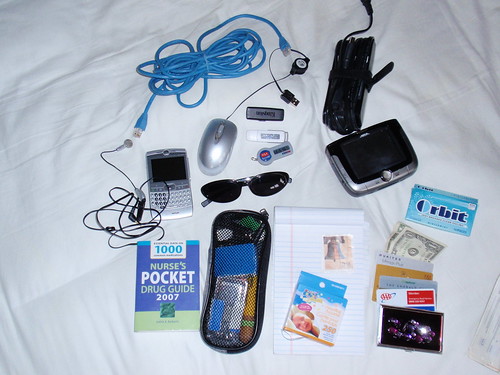
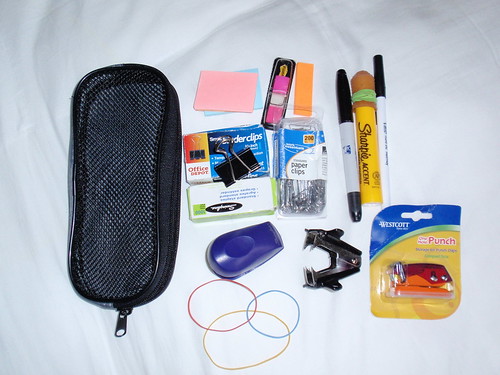
What's in Your Bag?
So what other tools and templates do you find useful when monitoring?  Leave me a comment here, send me an email, or share your monitoring tips on my Facebook page.  

You may also like...from The Lead CRA archives:

Sunday, March 4, 2012

Tips for Better Monitoring Visits

These are four tips for great monitoring visits.  It all comes back to developing solid relationships as a site manager so you will have access, cooperation, and enjoy more productivity during your time on site.

1. Effective Communication Between Visits

Maybe your coordinators truly are
time-strapped or maybe they just
need a little cheerleading.
 
Great communicators know that strong relationships are built on 2 parts listening/respecting and 1 part actively addressing concerns and providing solutions.   Follow-up with your sites weekly to track enrollment, discuss supplies, answer questions, and track EDC completion.  If things aren't trending consistently with your other sites work to uncover the root cause.  During your calls remind the staff of important study updates, upcoming data deadlines, or recent correspondence.  This is especially important with complex protocols.  Keep the check-ins positive, praise often, and be respectful of your site's time.  Communication is a two-way street and hopefully your sites will be comfortable to reach out to you as well.  If you are providing value to your site, they will be more likely to call you when they have questions or concerns rather than proceeding to make errors in execution that you may not discover until your next visit.

2. Assess Site Skill Level
The worst thing you can do is show up to a site and tell them how to run the study.  Don't discount the experience of the investigator/staff. When you go in like a hall-monitor and immediately criticize their process, they will stop listening, become defensive, and you will not be able to compel them to review or revise. First see and appreciate how they are organized, what source are they using, where are they losing efficiencies, and where could they be more precise.  Your first visit should be more than 75% observation and checking things out and less than 25% training unless they are asking for more.  Remember that you can train after the visit during your follow-up phone contacts.  You will need to tailor your site management approach depending on the experience and comfort level of your site.

3. Prepare for the Visit
From your home office or at least a week in advance of your monitoring visit, read the past report, review that pending action items are resolved, and ensure your study coordinator and other relevant site staff will have adequate time for the visit (if not, consider rescheduling). Know the enrollment rate for this site and other sites in the trial.  Compare the performance of this site with other sites and review all the EDC queries and responses since your last visit.  Communicate the agenda prior to the visit.  If you prepare properly for the visit, you'll reduce the risk of a non-productive visit and also be ready to handle any surprises you might discover on-site.

4. Demonstrate Flexibility
Sure you have an agenda and you can't possibly leave the site for the airport until you've achieved all of your objectives, but be willing to shift your day around to accommodate your busy coordinator.  You can perform your monitoring tasks in a different order if that helps the coordinator get organized and juggle your visit while still attending to other priorities.  Agree to do drug accountability while your coordinator wraps up a few outstanding queries in a patient chart.  Agree to meet with the PI at mid-day since they have clinic visits all morning.  The staff at the site will appreciate your flexibility.


You may also like...from The Lead CRA archives:

Wednesday, April 13, 2011

Efficiency Tips: Keep the Inbox and Sent Box Empty....and Archive Emails Weekly

This is my Outlook folder list. I try to 
keep the inbox at less than 20 items at 
all times.
Today is Wednesday. I have received/sent and processed over 300 emails. Other Clinical Operations people in my immediate working group see even more traffic in their inbox but I can conservatively say that around 120 emails per day is my typical average. A few folks in my department file nothing and just rely on the blackberry and Outlook search functions to run their email empire. However, I feel pretty panicky if my inbox goes over about 20 messages or so. I use my inbox as my tasklist and I rely on folders and flags to keep everything organized. I've developed a system over the years to keep my inbox slim and zen-like and today I'm going to describe it to you. I also try to review and file items in my Sent box at the conclusion of every day because I prefer to file email responses with the original thread and keep my Sent box empty (Outlook can do this automatically for any message sent from any folder rather than the inbox.  In Tools->Options->Advanced Email Options-> you can select "Save replies with original message").

The batch process approach to filing TMF correspondence
Most site managers I know wait until they are preparing to close out an investigative study site then they go back and read several years worth of emails, print out the ones they think should be filed (2 copies, one for the TMF and one for the site), carry the big bound stack with them to the site, and slip it in to complete the correspondence file. An issue with this approach is that it wastes a ton of time and paper plus you are almost assured to introduce duplicates since the coordinator has likely done something similar. Finally, you are assuming that A) you have time for this exercise at the end of the trial and B) that you will still be around/employed to execute this action. Sorry to be such a realist, but both A and B are not exactly solid suppositions. My approach is to file my emails weekly in the eTMF.  As a result, at the end of every week, I am confident that 90% of my TMF correspondence is filed. I am never more than two weeks behind.

Keeping the inbox empty (or nearly empty...)
I strive to process every email within an hour of receipt. When something hits my inbox I 1) delete it 2) respond to it quickly (and delete it or archive it) or 3) file it. Deleting an email straight away will save you time from re-reading it again; dump it! If the email doesn’t require action from me and I am not waiting on a response, I can just file that email or delete it. I have a folder for my manager/HR/corporate stuff and travel. I have a folder called Praise where I keep thank you notes and email records of major deliverables or accomplishments (this is useful at review time or when I need a pick me up after a defeating day/week). I have a folder for each study I work on. I have a folder for all sites in a study. I have a few folders to keep vendor communications. I have a folder called #Pending (the pound makes it sort to the top of my folder list) for anything with action indicated from me and that takes more than 2-3 minutes to address. I have a folder called #Waiting for things other people are tasked with but that I want to track or follow-up on. I have a folder called #File for items that may be candidates for the TMF correspondence section (no, I don’t file every email in the TMF).

You actually have to Process #Pending #Waiting #File & Sent
I deal with everything in #Pending (at least the items flagged Overdue, Today, and Tomorrow) in the mornings when I arrive at work and in the afternoon when I am wrapping up for the day.
I use flags (Today, Tomorrow, This Week, Next Week) and group by flag to keep #Pending manageable.
At the end of every day (or when I have a few minutes during the day) I go to my Sent folder and I group by conversation trail or category, delete most of the thread, and move the final message to #Pending, #Waiting, #File or one of my folders. Archived in a folder = no action indicated; never to be referenced again except possibly in a future search.

I go through #Waiting at least once a week. When something in #Waiting is addressed by an incoming email message I delete the item from #Waiting or archive it in a folder.

I process #File on Fridays or anytime the folder shows that it contains more than 50 items. I group it by category or stack it by subject line or conversation. I delete everything leading up to the final thread. I typically have about 15-20 actual emails to file each week and I copy those to our TMF. I can just drag and drop from Outlook into our Clinical Trial Management System.

Outlook Features Help Me Stay Organized
I use Outlook quick steps and rules to quickly file things and/or label/categorize (if an email goes to a certain person or has a certain site name referenced in the subject then it gets a label/category automagically for that site). I use Categorize extensively (newsletter, meeting minutes, issue, login credentials, one for every PI name, specific vendor, TMF, reference, reference doc, expense report, personal). I also use search folders, too (mail received this week, mail received this month, with attachments, logins, newsletter ideas, reference, reference docs, amendment items, mail to/from specific people).

Correspondence Reconciled. Easy.
Now that you are so organized, you can actually use correspondence to prepare for your visits and write your monitoring reports. A few days before every visit, I go to the Clinical Trial Management System eTMF, select all the correspondence since my previous monitoring visit and print it to one big PDF. I open that document when I am at the site and thumb through the correspondence that has been filed by the coordinator since my last visit (the coordinator always files new stuff in front of a colored piece of paper). If the coordinator has already filed the item I delete the page from my PDF. When I am all done I email the PDF to the coordinator (remember, the only pages left are the ones the coordinator did not have filed) and ask them to print it and we file it before I leave the site.

Conclusion
I know this all sounds really intense but the system works for me and I have inspired several colleagues to adopt the system (at least in part). Try a #Pending #Waiting of #File folder. You might find that you have a useable and less intimidating inbox moving forward. Be warned however, the whole system falls apart though if you aren’t disciplined about reviewing your new #Pending #Waiting #File and Sent boxes at regular intervals. Please share any email efficiency tips or tricks that you find helpful.

Monday, February 21, 2011

Motivating your Study Coordinators

As monitors, we rely on the Study Coordinators (SC) to assist us in site management activities like record-keeping and re-supply.  We ask them to keep us informed of progress at the study site through reporting, screening/enrollment logs, issue identification, etc.  We have them prepare the CRFs, complete data-entry, attend trainings, review newsletters/correspondence/memos, answer emails, fax in documents, and answer queries.  On top of everything else, we insist that they organize and prepare for our monitoring visits.  During the monitoring visits, we request that they are available to resolve any issues that are identified or to complete additional training.  This ongoing administrative burden during study conduct is all in addition to the primary requirements that they assist the Principal Investigator in executing the study according to the protocol and monitor the safety of all study participants.

In short, we ask a lot.  Many coordinators have several studies competing for their time and attention and one of the most important skills for a CRA is to motivate the SC to focus and respond to the demands of the trial at hand.  For the most part, my coordinators are prepared for my visits; I owe that to a mix of luck, experience, and the following techniques:

Establish and Maintain Rapport - Whether you meet your coordinator for the first time at an Investigator's Meeting or a pre-study or initiation visit, every interaction is a chance to build the relationship.  Answer your voicemails and emails promptly and invite your coordinators to reach out to you with their concerns. If you can listen and empathize, your coordinator will trust you more and keep you informed if they are falling behind.  If your coordinator feels respected and valued they will put in the time to get the work done properly.

Communicate the Timelines and Study Status - Share the study progress through regular site contacts or a newsletter and ensure that study staff know the timelines and overall picture of the trial.  Review site performance regularly and let coordinators and investigators know how they are doing compared to other sites.  You can set goals and make comparisons in terms of recruitment, enrollment, data entry/query resolution, and monitoring completion; sites find this extremely motivating if you can deliver the message and metrics in a non-confrontational way.  SCs are juggling so many competing priorities that they may not be working on something you need just because they don't realize it is "on fire" at the moment, that is way regular site contact and effective communication is so important.

Recognize Good Performance - When your site completes a required task or important milestone let them know you appreciate this and thank them for their contributions. I am constantly complimenting my sites; they are not perfect but they do lots of things well and I think they deserve that recognition.  I produce a monthly newsletter and I try to include a regular "Site Profile" section where I introduce the site, highlight their study accomplishments, and discuss their tips for success. It is a bit corny but my sites are always flattered and this seems to produce great results.
Don't be afraid to submit to bribery.
Understand and adhere to your company's
policy on gifts. Typically a non-material
small appropriate token such as a box of
donuts or pastries will do a lot to "butter-up"
and endear you to your coordinator
without the risk of appearing coercive.


Partner with your Coordinator - Convince your coordinator that you are a team and that you want them to be successful, "I know you have a lot on your plate, so let's get through this so I can get out of your hair."  Ask your coordinator, "What are the obstacles preventing you from getting your work done? Would you find it helpful if the sponsor, the Project Leader, or I spoke to the PI?"


Break out the Big Guns - All of the techniques I mentioned above will keep your study sites on track and foster a productive and collaborative working relationship.  At the end of the day however, if the work just isn't getting done you may explore alternative less positive methods of motivation.  Expose the deficiencies to the Principal Investigator or withhold site payments pending completion of the work.


Above All, Be Patient - See a related post where I discuss how issues outside of work can sometimes distract coordinators: What is up with this coordinator?

Please comment to let me know if there are other tips or techniques I should highlight in regards to motivating study coordinators.


You may also like...from The Lead CRA:


Saturday, April 3, 2010

Selecting Qualified Investigators

The focus of this post will be selecting adequately performing US clinical trial sites for Investigational New Drug studies.  Depending on the nature and size of your clinical trial, you may be targeting private practices, specialists, academic centers, purpose-built dedicated clinical research facilities, or a combination of any of these to find your principal investigator(s) (PI).  Certainly, there is great cost associated with opening and maintaining a study site so you are well advised to be thorough and thoughtful when evaluating the potential investigators.  As monitors, we may provide input on the clinical operations of a study and assist or manage projections of how many and what types of PIs will be selected and this article will discuss some of the important considerations for qualifying and selecting study sites.
As qualified CRAs, we use our instincts and training to predict and choose the most qualified and motivated PIs.
Inevitably, some study centers will perform better than others and deliver the ideal study candidate while strictly adhering to the protocol.  Careful site selection is absolutely critical to limit the time and resources that will be required during study conduct to manage poor performing sites; I refer to my non-enrolling or poor performing study centers as “duds”. Duds require additional monitoring oversight, coaching, and avoidable cost for continued participation, therefore, these sites are often closed before enrollment or conduct is complete.  Closing a non-performing site is an attractive option to suspend the siphoning of time and resources, but forethought and a well-coordinated site selection exercise can help ensure dud sites are never opened in the first place.
Consider the therapeutic area of study and recruit PIs with relevant experience, the right study tools and equipment, access to the target subject population, interest/motivation to recruit, and availability to participate.  

You needn’t only consider PIs with prior clinical trial experience, but you may gain some considerable efficiencies by targeting PIs who have performed well in prior studies and audits.  Some PIs pay to be listed in clinical trial directories, you may be able to obtain names of doctors to approach through online physician directories, reviewing PIs you or your colleagues have worked with in the past, internal company databases, conference attendee lists, patient advocacy groups, journal article author searches, pharmaceutical sales personnel, medical association websites, telephone directories, the internet, trade journals, other networking contacts, etc.

The FDA maintains lists of disqualified investigators and those that are prohibited or restricted to conduct clinical trials.  You can also review any previous warning letters or license restrictions using publically available databases (Click on the hyperlinked text and see additional links below for further information).  Your investigators will need to adhere to all ICH/GCP guidelines and relevant CFR sections including 21 CFR 312.53.  Check your potential PIs against these lists and also gather anecdotal information regarding the investigator from colleagues and the internet. Read physician review websites like yelp.com or clinician directories.  Determine if there have been previous inspections at the study center.  Some doctors have their own websites and you can also search news databases to find information about a potential PI you are considering.

Finally, you can contact the physician and his staff to inform them of the trial, determine their interest, and request that they fill out questionnaires or provide a copy of their CV or a summary of their experience.  If you do develop site selection questionnaires you can ask them for their input on the trial design, to describe their facility, to quantify their qualifications/experience/availability/resources/staff, to identify if they have the proper equipment, to comment on their previous clinical trial or audit experience, to give details on their IRB process, to project potential recruitment and access to the target subject population (double check that there aren’t competing trials at the facility or within the same geography www.clinicaltrials.gov), to detail translation and advertising needs, and to inform you of any anticipated barriers to recruitment.  Much of this work can be done via telephone/fax/email but you may want to schedule a time to visit their office and evaluate whether they are a fit for your trial. For more information read my post on Pre-Study Visits.

Beyond the questionnaire, you can use the site selection process to gauge the communication style, organization, and responsiveness of the site staff.  
Beyond the questionnaire, you can use the site selection process to gauge the communication style, organization, and responsiveness of the site staff.  Ensure there are no conflicts of interest, lack of objectivity, or other reasons to avoid a specific PI.  You will be able to determine the PIs experience conducting other sponsored trials, develop a feel for the turnover at the site, and sniff out any additional red flags that may steer you away from choosing that site or anticipate issues that might creep up during conduct.  Be tactful, gracious, and considerate of their time.  The PI will be evaluating whether they want to work with you as well.  It is very much a two-way street since you may be working closely together for a considerable amount of time if they do join the trial.

Good luck selecting qualified investigators. Definitely take the time before the trial starts to be thorough and deliberate with the site selection process.  There is always pressure to get sites up and running as quickly as possible, but you must balance that need with the requirement to spend adequate time selecting qualified investigators. Hopefully spending enough time choosing your PIs will ensure your trials will be easier to enroll, your studies will be conducted with less protocol deviations, and your study team will be more likely to avoid unnecessarily costly “dud” sites and achieve all of your study objectives.


You may also like...from The Lead CRA archives:

Wednesday, July 15, 2009

Travel Safety Refresher

So I've blogged before about travel safety but today we are all getting a refresher as a result of my monitoring trip yesterday. I've easily been to Denver 20+ times in the last 2 years for business so I'm very comfortable getting around in the airport, on the highways, and to my favorite restaurants. The point of this blog is that I may have gotten too comfortable and let my travel safety guard down. I was visiting a new site in a different part of the city I have never been to so I decided to try a new hotel. I didn't really research the hotel since I am familiar with the brand and have a certain level of pre-set expectation (mistake #1 - always read reviews on a travel site to make sure the hotel isn't too dodgey). I didn't actually even print my itinerary or write down the address because I always travel with my iPhone and GPS. Mistake # 2 - Long story short the GPS 'couldn't get better accuracy from the satellites' and I got lost in a not-so-nice neighborhood and I regret not having brought my trusty paper google maps print-outs. I pulled over in a safe place and got back on track and arrived at my destination using the iPhone. It was all really unsettling.

Rewind to earlier in the day, after work at the site I went out to the car and realized the battery in the key fob was dead. I could have tested this at the car rental place but it didn't occur to me as the car only had 11K miles on it (Mistake #3). I had rented a new Nissan Maxima so there is no key, just a black plastic stick thing. After fumbling around next to my car for several minutes and whipping out the phone to call Roadside Assistance I realized there was a tiny button on the back of the fob that released an emergency key and I was able to get in the car (maybe this is obvious to everyone else in America but I was confused and tired and wasted a lot of time messing around with it). Luckily I was in a very safe location because I was not paying attention to my surroundings at all and I was just focused on getting in the rental car. This was pretty upsetting to me because it was clumsy to open the car for the rest of the trip and I no longer had the panic button function which is an important safety feature.

The hotel lobby scene can be fun and
inviting but for a single female business
traveler it is more safe to just dine alone
in your room.  You can get some work
done or unwind and feel secure.
I stopped in to a restaurant and grabbed some take away food to enjoy back at the hotel that night. It was still daylight but I had to park far away from the entrance. I decided I would be comfortable with that whereas at night I would have insisted on a valet (Mistake #4 - no valet at this hotel). I hopped out of the car and started walking toward the lobby. Mi stake #5 - I had seen lots of pedestrians in and around the hotel when I drove in but I did not even bother to look around to see who might be loitering near the vehicle or in the area before I got out. I cannot impress this upon you enough, you must always be aware of your surroundings. As I stepped on to the sidewalk a voice to my right called out "How are you doing today?". My initial instinct was to turn to the speaker and smile (I'm from the South - we're polite) but something kicked in and I realized the safest course of action was to keep walking to the left and pretend I had not heard the caller. The man started following me and he was calling, "ma'am, ma'am?". Maybe he was a beggar or just a senile old guy, or a complete prick (who approaches a single female traveler and scares the crap out of them like that?!). I will never know because I did not scope things out before I had gotten out of the car so I could never identify this man. I used the reflection of the hotel glass to check his distance and he slowed his pace as I came within eyesight of the lobby. I would not have gotten on the elevator with anyone else at that point but luckily the ride up to my room was uneventful. I did not report the incident to the hotel. I didn't have much of an appetite at that point but it was good to lock the door and take a deep breath because the whole interaction had been really scary for me. I will NEVER be comfortable staying in this hotel again.

I have a real affinity for hotel points and status. I will stay in a different hotel every night just so I can qualify for status quickly but I have another reason, too. A trusted monitor I know told me a story about a CRA friend of hers who was raped in her hotel room. The lady was all settled in the room, showered, watching TV, when the man just appeared out of nowhere. Maybe he had been in the closet or under the bed but he knew she had been staying there alone for several nights and had somehow gotten access to her room. The story is especially creepy because he had been watching her for up to an hour before he attacked. It is just such a disturbing story. I will never stay in a hotel for more than one night because of this story my friend told me. I also check under the bed, behind the curtains, in the shower, and in the closet before I deadbolt the door. I know I must sound crazy but I am not willing to get hurt for this job and I take every precaution I think is appropriate.

I haven't traveled for business in a while so maybe I am especially paranoid on this trip, or perhaps it is because I recently acquired an expensive piece of jewelry that I am not entirely comfortable wearing yet, or maybe I just have instincts that are spot on. OK, I am off to the airport now and I will be paying attention and traveling safely. I invite you to comment on the post if you found it interesting or helpful, if you have your own story to tell, or if you just can't stop laughing at me right now for over-dramatizing.

Friday, June 26, 2009

What are your weaknesses?

That's a common interview question, huh? I've got some pretty snarky answers but I'm not sure any are appropriate for HR or a hiring manager (For example, "one of my weaknesses is burning bacon, I'm dangerous in a kitchen"). I've been doing some introspection lately and I have a new answer prepared for this question should it come up at an interview or in the context of a performance review or at a dinner out with friends so I won't have to say something lame and generic like, "I work too hard". ;)

If asked, I would say my weakness is really more of an area of continuous development. I am overly-enthusiastic and a huge Type A person so I constantly have to audit my communications to make sure I am not 1) giving too much away 2) muddling things with extra details or 3) overpowering others. This is especially important when I send email to my sites or business colleagues. I try to keep email correspondence succinct and use bulleted or numbered lists when I am seeking clarification on multiple points. In a team context, I make an effort to listen to other's input before I jump in and offer my $.02 so that way less emotive folks can contribute to problem resolution. Finally, in a negotiation, you always have the most power when you can sit silently and take in all the information. I like to slow down and thoughtfully consider things rather than always acting impulsively.

So I think this is a good answer because I am describing something that I can control and work on. I am demonstrating self-awareness and goal-driven behavior; I think both of those skills are important to hone and develop. If I said, "I am short" I couldn't exactly do much about that other than wear high heels so I think it is a poor answer to the question (I'm actually tall, but you get my point).

Let me know what you think of my new answer and it's Friday so if you are feeling slap-sticky send me an email or post some outrageous answers you would love to give to this question.

Tuesday, June 9, 2009

Lead CRA Q&A: CRA Work/Life Balance

I recently received an email from a blog follower asking how I maintain work/life balance as a traveling CRA and whether I get paid more when the weeks are longer. The email is a little ironic as I actually have been really under-utilized lately and have spent most of the past 3 months sitting at home pushing papers around and trying to think of billable work to do. I am currently assigned to 1 study and I only have 2 sites enrolling - I can drive to both of them and visits are only every 4-6 weeks so I've been doing some co-monitoring and asking my manager to help me find more work or an additional assignment. You have to be careful what you ask for...I could be very busy again soon.

In any case, I've been monitoring for about three years and I have done a lot of traveling (if not lately) so I was definitely able to address the reader's question and I will summarize my response for you all.

I work for a CRO and I am paid the same salary regardless of how many hours I work. It is normal for me to work 10-15 hours over 40 and not be paid. This happens because I have to stay on top of my reports, there are unexpected layovers when traveling, or there is just a lot of work to do and you have to be flexible. It is important to have a good dialogue with your manager and make sure that every week isn't a 60 hour week - that is not in your best interest or the companies best interest because you will burn out.

On average I travel 3-4 days each week and spend a couple of nights at hotels away from home.
Once you have 5+ years or so of experience you may choose to work as an hourly consultant. However, while you are new and learning, typically you take a salary job. The trade is that if you work for a large company they provide structured training so you are gracious about working the extra hours because the experience you are getting is so valuable. Also, I typically only work on 1 or 2 studies at a time so naturally my work ebbs and flows. For example, this month I had a lot of trips back and forth to the East Coast (9+ hours travel time each way) but last month I was just working at sites near my house so I traveled only about 10 hours collectively the entire month.

When you travel all week sometimes the last thing you want to do is go out with your friends or plan personal trips so you have to make the effort and be sociable even if you are tired. The travel does get in the way of me taking continuing education courses at the community or local college since I am typically on the road on weekdays. A membership to a local gym would be wasted on me since I am never home - I just make sure I stay at hotels with nice gyms. Sometimes I miss Happy Hours with my friends or important networking events or ACRP meetings because I am not in town. When you are at home you may not want to eat out, upkeep the house, or take care of all your other 'real-world' responsibilities. However, you have to compromise and do these things as you can because you love the people at home and want to make them happy - even though you may be exhausted. Plus, when your home is a sanctuary from the road you'll feel better and more relaxed, too.
You may not be able to own a pet or a plant because you just won't be home to take care of them. 
That negative stuff stated, I won't travel 85% of the time forever. This is just for another 2-3 years until I step into a Lead role that requires less travel or work towards Project Management. If I go independent I could just make my schedule such that I don't travel Mondays or whatever I like and that would keep the hours within reason. I'm compensated well and I am developing great career skills and networking connections so the travel is in balance for me. Not everyone is cut out to be a road warrior but I still fancy it. There is no substitute for experience and I am gaining that everytime I travel and visit a site.

Thursday, May 14, 2009

Lead CRA Q&A: Challenges to a New CRA

One of my connections is taking a CRA Development course and her homework assignment was to ask a tenured CRA "What did you feel were the biggest challenges of the position when you first started?" I am providing my answer and would love to hear if other seasoned CRAs agree or if there are other hurdles that I didn't even mention.

My answer:

When visiting a major medical center it can
be a major challenge just to figure out the
parking or navigating the campus (pictured: UCLA).
I am not a nurse and I have never worked with patients in a clinical care setting so it was a challenge to learn how office and hospital charts were organized. You have to know what is supposed to be in there in order to recognize what is missing. On the flip side, there is a lot of stuff there and you need to be able to figure out what is noise and what is actually important in your role as a monitor and the context of the study. Charts are sometimes hundreds of pages long and I have worked on studies where it took 2 days just to perform chart review on a single patient. Again, developing that skill to filter what is important and needs to be in the database versus what is just extra information is really critical to your success. Once I started on in-patient studies I also needed to learn how to read surgery reports and hospital medication administration records and the slew of acronyms and institution specific items that accompany both. I'm still learning, every time I go to a new hospital or study center. Charts are organized similarly but there are always institution specific nuances and learning how to read the charts is one of my main objectives at my first monitoring visit to each new site.

When reviewing AEs, labs, and Con Meds, you frequently come across things you are unfamiliar with. It was important when I first started to be industrious and know where to find answers. You can't possibly know everything but you have to be able to use your resources like Wikipedia, Epocrates, Merck, study staff, extension courses, and other training databases/materials provided by your employer or the sponsor to fill in those deficiencies as you come across them. You can also better prepare for a new study by doing internet research on the therapeutic area. On a recent study, I downloaded medically relevant podcasts to help me prepare and learn some of the common issues and medications with my patient population. When you are learning about a new therapeutic area, start with patient advocacy or education websites because they are nonscientific and then work your way up to journal articles, sponsor slidedecks, the IB and more intense material.

Finally, it is important to find the right balance when writing your monitoring reports. You want to give enough information and specifics to show you were there and followed all relevant SOPs and guidelines but you want to keep it succinct and avoid a novella. You also want to cover yourself in an audit later but different sponsors want different levels of detail. Your Lead CRA and Project Manager will help you land on the right amount of detail through their reviews but the first couple reports on a study are always a challenge because of this issue. You can read more on my blog about efficiency tips, timesheet tips, MV report tips, and Career Advice.


You may also like...from The Lead CRA archives:

Tuesday, August 19, 2008

Monitoring Visit: What to Pack

I came across a nice online article recently by Greig Waddell with tips on how to save time when traveling for business. Click here to check out the full article. I thought all of his points were great but I wanted to expand upon it a bit in the context of traveling to a monitoring visit.

So you are going on a monitoring visit. You want to dress sharp and have all the supplies you need. Choose clothes that you can mix and match, that you don't have to dryclean or iron, and that are professional and appropriate. I travel 2-4 days each week so I pretty much just keep my suitcase packed all the time and just replenish/rotate things out for cleaning as needed. This means two sets of toiletries, those I use at home, and those that always stay packed in my 3-1-1 TSA approved baggie. Staying "packed" has saved me on several early mornings when I haven't exactly given myself quite enough time to get up, get out of the house, and get to the airport. Here is a selection of my luggage:

No, I don't travel with 3 bags. Click here and then scroll over the photo at my Flickr site to learn more about what type of luggage I use for different length trips.
I don't check bags with the airlines, but if you do, don't check valuables like expensive jewelry or your laptop. Don't forget that sponsor proprietary information including protocols and regulatory documents are extremely valuable. If you can't carry all your documents, FedEx them to yourself, but NEVER check them because luggage can get lost.

I try to carry as little paper as possible - if the sponsor doesn't provide you with a pocket sized spiral-bound protocol book, Kinkos or a similar copy center will make you one for less than $50 and you'll be glad to have it plus you can probably get reimbursed for it on your expense report (check with your lead first). Remember that you may need to retrieve copies of documents at the site so bring some kind of inflexible folder so they won't get damaged or bent in transport. Other documents I like to bring electronically or carry with me (good to review on the airplane) include the MV Checklist, study contact list, print-outs from the IVRS, and old monitoring visit reports/pending action item lists. So you can follow the links below to find out more about what is in my bag:

More details and photo notes available at my Flickr page.
Click here for a copy of a printable checklist that helps me pack for monitoring trip. It is in MS Word so you can download it and edit to your specifications. Send me an email if you have any trouble downloading the document and I will forward you a copy.

Please also check out my travel tips section for more info.

Sunday, August 3, 2008

Efficiency Tips: Spend less time on Expense Reports

I pay for most things with my American Express (Amex) but I am required to submit receipts for all charges over $10. We either scan our receipts in and attach them through the web browser to a pending report or we fax them to a dedicated fax # with a spiffy system-generated coversheet that accomplishes the same thing. In the expense system website, every few days, charges from the Amex are automatically available for me to add details to (which sponsor is the charge billable to? is any part of the charge non-billable?) and to group into pending expense reports. Unfortunately cash purchases or those made on my personal credit card have to be manually entered and categorized so I try to limit these types of transactions.

I make my own travel arrangements through our travel agency and they pass those charges through to my Amex. Airline tickets, rental cars, and hotels are the bulk of my expenses and whether or not they are reimbursable is very clearly delineated in our travel policy (for example, a $500/nt stay with spa treatment at the Ritz is not OK, but $150 at the Marriott with free breakfast is very much within policy). There are also clear guidelines for our meal expenses and tips in the travel policy too, but in my experience, this is the area where I most frequently have issues with reimbursement. Part of the problem is that I may lose a receipt or they haven't scanned in clearly so my entire expense report can get denied or otherwise held up in processing. For that reason, I typically submit 2 expense reports for every trip. If I have booked airfare more than 2 weeks in advance, that goes through in its own report so I can go ahead and have the company pay my Amex down before 30 days pass. Everything else I pass through up to 4 weeks after the trip in a second expense report.

While traveling and at the time of purchase, I usually slip charge receipts in the billfold portion of my wallet but after a few days the wallet is overstuffed and won't fold closed. A solution I have come up with is to periodically group and file the receipts in a specific pocket of my laptop bag. The keycard folios they give you at the hotel are terrific for organizing receipts so I simply group them together in chronological order in those handy little keycard envelopes. I organize in two categories, transportation related (receipts for gas, rental car, parking, cabs, valet, tolls, etc.) and for meal expenses and tips.

Efficiency: Eating breakfast and working on expense reports.
When I am flying home from my visit, I put down my tray table and prepare all the receipts for scanning. I now travel with blank paper and tape (tape dispensers are bulky so I have taken to carrying self-dispensing double sided sticky crafting squares. I get mine from the dollar store but click here for a link to the product I am using). I fashion all the receipts on as many pages as I need and when I get home it only takes a few minutes to scan the whole stack and attach them to my expense report. Many hotels offer free business centers with scanning and faxing so I could also do this on the road but I like to do it when I get home for now.

Timesheets are due every two weeks so I ensure that when I am signing off on my timesheet I am also submitting any pending expense reports. Our Amex is paid bi-monthly so this helps me to always be current and never go in arrears on my corporate account. You certainly don't look very professional if you aren't paying your credit card on time so I manage this closely. Not to mention, who can afford all the crazy fees they would love to charge you?


You may also like...from The Lead CRA archives:

Efficiency Tips: Spend less time on your Timesheet

I am employed by a service company and we bill our clients for our services. Therefore, we must track our time spent on sponsor related work and pass the costs through appropriately. I am asked to track my time in 15 minute increments so I can basically report up to 4 time categories per hour or I can bill a half or whole hour to a specific time code. In order to receive a good performance rating, I must report at least 85% of my 40 hr work week as "billable time".

My non-billable time codes are things like: Sick, Holiday, General and Administrative Duties (G&A), Internal training (not project specific), goofing off (ok, so that is not a category but if ever I am shy of 40 hrs and can't account for the time then G&A is a good catch all), etc.

Billable time is coded by project (since I might work for several sponsors/projects at once) and then broken down into time categories as follows:
Project Specific Training / Sponsor Teleconferences - Reading protocols, watching power points, reviewing the Monitoring Plan, etc.
Preparing and Following Up - This category is used for making travel arrangements or writing confirmation/follow-up letters, or working on reports.
Traveling - Usually your project will have limits to how much travel time you are allowed to pass through. At my company, when long trips are unavoidable, you can lower your travel time by using the time in transit to complete other project related work such as studying or writing reports (billable to either of the 2 categories listed above) - obviously this works when on an airplane or delayed and not necessarily when driving!
Managing Sites - This is phone or email contacts to your study sites or running special project specific reports.
Conducting a Monitoring Visit - Actual time spent on site during SIV, COV, or routine MV.
Query/Database Management - Helping the site solve/close queries raised by data management, reviewing the clinical database, running reports, etc.
Expense Reporting - see my next post!

OK, so now that I explained how I categorize time, let me explain the time tracking system. You can think of it as a glorified version of Excel that lives on a web server. So to enter my time, I have to log into that system and enter all of my hours. We are asked to do this at the end of every day so we are as accurate as possible. Well, I don't have internet access all the time so sometimes I let a few days pass and it really is hard to remember what you did for the past 48-72 hours by 15 minute increments. To solve this conundrum, I made a copy of the fancy web-based timesheet template in Excel and I just leave it on my desktop. Each day before I log out of work, I update my time in my Excel template. Then every 2 weeks (or as I have time) I log into the web-based system and transfer it all. I know this is multiple steps but it seems to work better for me. You could also use a journal or jot notes about how you spent your time in your day planner. Any other tips?

Efficiency Tips: Spend less time on Monitoring Visit Reports

As a monitor, you may visit several different study sites in a single week and possibly for different protocols. I often find when I get home from a trip like that it is hard to write my report and keep the details of the different sites straight. One thing I have done to successfully overcome that is to draft my report before I even do the visit. On most studies, your Lead will provide you with a template report that you will need to complete following each visit type. You might also use an electronic system to create your reports but luckily, mine are usually just MS Word templates. Every report is guaranteed to have a header section that includes the MD name, facility name and address, visit type, visit date, date of last visit, and list of attendees. You probably know all of this information before you step foot on the site so just fill it in before you go.

Things I am unsure about I highlight in yellow so I remember to return to them later. Unless this is your first visit to the site, chances are there is a previous report completed by either you or another CRA that has items that probably need to be carried over to your current report. You will want to refer to your company's SOPs and your project-specific monitoring plan to know which items get carried forward. On some of my recent reports, this has included Enrollment data (I can usually get the current number of Screened, Screen Failed, Enrolled, Early Term, and Completed subjects from the IVRS system before I even show up for the visit), summaries of Protocol Deviations to date (they stay on the report until the IRB acknowledges receipt of the deviation), SAEs that are not resolved, Regulatory Documents that need to be collected, and pending Action Items or those that have been resolved since the last report date.

Drafting your report before the visit has the added benefit of helping you write your confirmation letter and get a grasp on what activities need to take place during the visit. You will be organized before you get there and more likely to monitor efficiently if you know exactly what is outstanding.

While you are at the site, avoid keeping notes on notebook paper; just write pending items directly into the Action Items or other applicable section of your report. If the items you notes are resolved by the time you leave you may decide to dump them from your report (depending on how much detail your company/sponsor is looking for) and if not, mark them pending and submit them as part of your draft.

When I am at the airport waiting for my flight to board, I can usually knock off a draft report in about 20-30 minutes. Then when I have internet access, I just submit it and forget it (or at least until I get a revisions request)! What efficiency tips work for you?

Not getting any work done in the airport terminal?
Your company may reimburse you for airport lounge
access or you can typically get a discount pass through
loyalty to an airline or credit card offers.  In the lounge
you can be productive, enjoy snacks and beverages,
access the internet and a business center plus plug
in all of your devices.  

Efficiency Tips: General and Administrative Duties

I work at a CRO so we have a fairly robust on-line expense reporting system and a thorough web-based system for reporting our billable and non-billable time through an interactive on-line timesheet. Well, I don't have the new iPhone and we still can't access the internet while in-flight so I am not exactly on-line all the time. The result of this is that I have a tendency to get behind in both my expense reports and time reporting.

Complete administrative tasks
while on the road by booking
hotels that have well-appointed
business centers. Internet access,
printing, copying, faxing, scanning,
and a FedEx drop are a major help.
Timely reporting of billable hours and submission of accurate expense reports are two of the main conditions of my employment. My other big responsibilities are showing up when and where I am supposed to for site visits/teleconferences (that includes making travel arrangements far enough in advance that I am getting the best fares and being cost-conscious for my company and the study sponsor) and getting my reports done on time. I'm never actually late with reports, timesheets, or expense reports, but at times, I have felt like I was not always as on top of it as I would like to have been.

For each of these job responsibilties I have a few tips that have helped me stay under the radar of the big bosses and consistently make my submissions accurately and on-time. I'm always on the lookout for new methods of reducing my workload and working more efficiently, so feel free to post a comment with other suggestions. This is a big topic and I have a lot to say so I will tackle it in three different posts: MV Reports, Timesheets, and Expense Reports

I hope you find this series helpful!

Saturday, February 16, 2008

Tips for Frequent Travelers

So I have already written to you about travel safety, and now I am going to write about some travel perks; mainly hotel points and airline miles. It is to your benefit when traveling for business to accrue some rewards for yourself. First you will want to obtain and read a copy of your company's travel policy so you know where they can flex and where you will need to flex. For example, my company requires me to book through their travel agent and we have preferred hotels and a preferred rental car company. I must pay for everything with my corporate Amex and then be reimbursed (so other loyalty Credit Cards are not an option) but I can (and do) add Membership Rewards to my Amex account for $75 a year and collect membership rewards points for every dollar of my employer's money I spend on travel to and from sites.

I spend a lot of time on airplanes and
collecting reward miles is a real perk
that I can use to obtain discounted or free
 leisure travel.
In regards to airfares, it is wide open so I can research and communicate to the travel agent which fares I want provided they are within the travel policy guidelines. In this way, I can maximize my reward points and choose to focus my reward accruing efforts on a preferred airline/chain so I can rack up miles/status/points for leisure travel. Be careful of diversifying too much or you will only achieve a low level of status/rewards in many programs whereas it is typically better to have a lot of status/rewards in just a few programs. This is less flexible but in general, you will see greater returns when you focus your efforts.

I was first going to attempt to download all the tidbits I have learned over the years but then decided a list of my favorite web links would be much more effective.


Find the Lowest Airfares

  • ita software - Click on the graphic in the lower left called 'Search Fares using QPX'. Be exact with your entry as this system can't really 'guess' at what you want. When your results come up use the third toggle button at the top to 'choose flights (graphical)' Now you can sort and stack and filter or just choose one segment at a time. I love this site! The only airline I have found not listed so far is SW so I just check them separately.
  • Kayak.com - Another price aggregator as above.
  • FareCast.com - Will the fare be cheaper if you wait until next week to book it? This site tells you!
  • Yapta.com - Tag a fare and book it once it is cheaper. If the fare does drop after you already booked (assuming you booked directly through the sirline website) you might be entitled to a refund or future credit thanks to the low fare guarantee).
  • Many airlines will give you bonus miles for booking through their site. I can't do this because we are required to use the agency but this is especially powerful when you own and book with their co-branded credit cards. Something to look into...


Booking Hotels

  • Again, pick one or two chains and accrue status so you get upgraded rooms and executive lounge access, free breakfast, bonuses, etc. Plus, once you are at the higher tiers you typically accrue points faster. This chart is helpful for comparing the different loyalty programs - thanks Starwood Preferred Guest program!
  • One more tip here, once you get high level status in one program call competing programs and ask them to 'status match' or to allow you to 'challenge' the high tiers of their loyalty programs. These promotions are usually offered in the first half of the year. Airlines will status match, too -- never hurts to ask, anyway!


Misc

  • seatguru.com - Make informed decisions when choosing your seat - make sure your seat fully reclines and that it doesn't have a blocked view of the TV or limited space.
  • seatcounter.com - How many seats are left in each class of service on a plane. Helpful when you are hoping for operational or status based upgrades to a higher class cabin or if you are looking to get bumped (sometimes you can plan to miss a flight because you will be compensated with a free roundtrip US ticket or a discount voucher for future travel).
  • flyerguide.com/wiki - An ever-changing Wiki that has aggregated information about traveling and loyalty programs. Companion website to flyertalk, see below.
  • flyertalk.com - This is an online forum with lots of frequent travelers who share their tips. I subscribe to posts and threads and I get these emailed to me weekly. I download my email to a local client so I can browse through them in digest format while on my frequent flights. I have learned so much here and love this free site.


Tools for Tracking Points and Miles

  • I prefer a web-based program so I can recommend the following: http://www.mileagemanager.com/ (this site is free to try for 30 days and then $14.95 annually. It has rewards summaries but also lets you know which accounts are about to expire, and my favorite part is the 'Elite status summary' which tells you what you need to earn to get to the next Elite level in any given program.)
  • http://moneycenter.yodlee.com/ (this site is free and will also manage your personal finances and help you set budget goals or you can just add your reward programs and have it manage those exclusively. Of note, your bank might already subscribe to this service for you as some major financial institutions like Bank of America, Fidelity, and Wachovia do... Check here)

Shoot me an email or leave me a comment if something important is missing from this post or you have more questions about this topic that I can answer. I would also love to hear your tips and success stories so feel free to leave those comments as well!
Read more about What to Pack in this post.